
Luma AI Scribe · For mental health
Session notes, without starting from scratch.
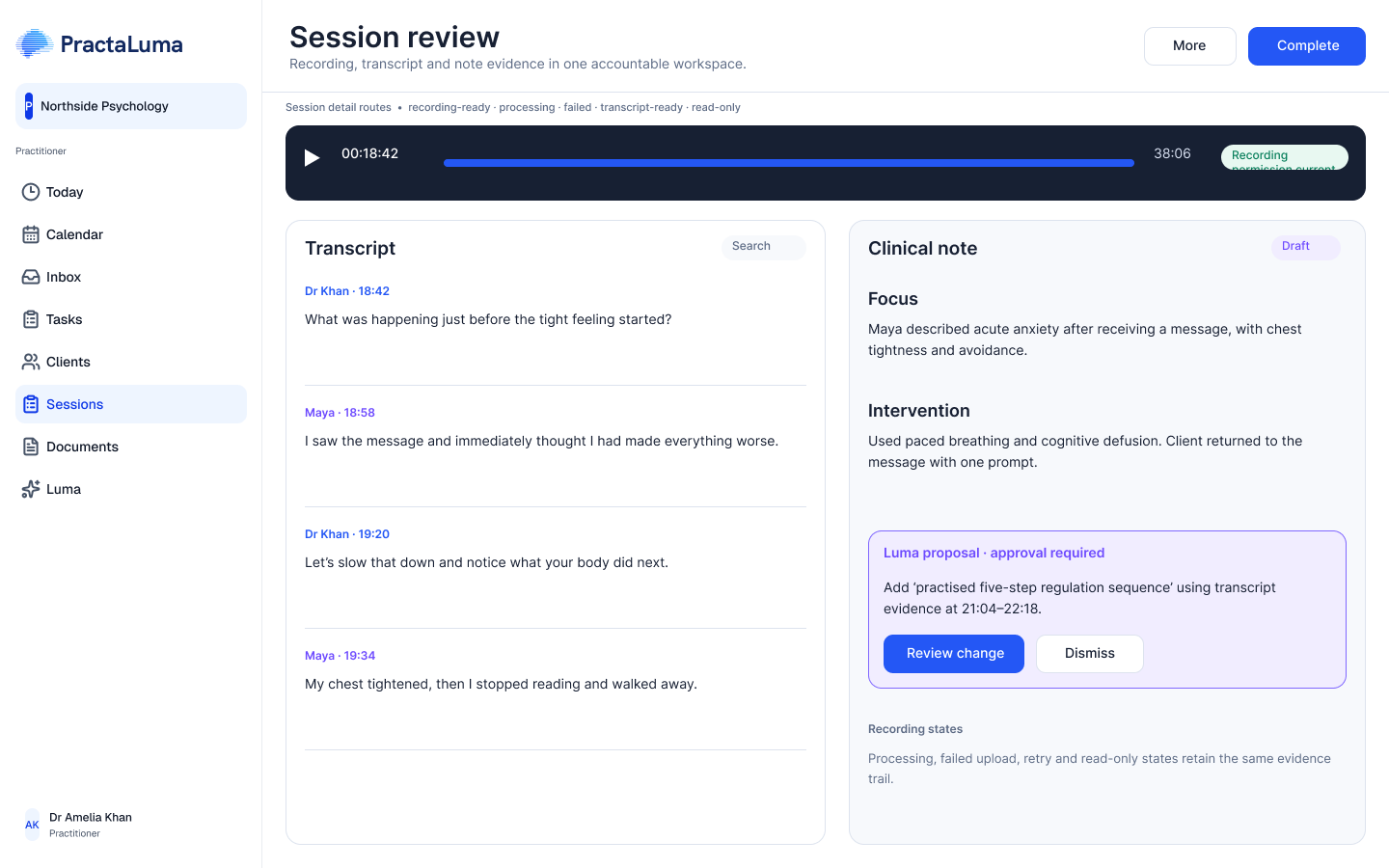
Luma listens to your session and drafts your note, with the full transcript alongside for review. Review and approve every draft before you finalise it. Choose from our template library or fully customise your own.
From session to reviewed note.
Recording, writing and review in your EHR.
No separate scribe workspace to juggle.
- 01
Capture the session
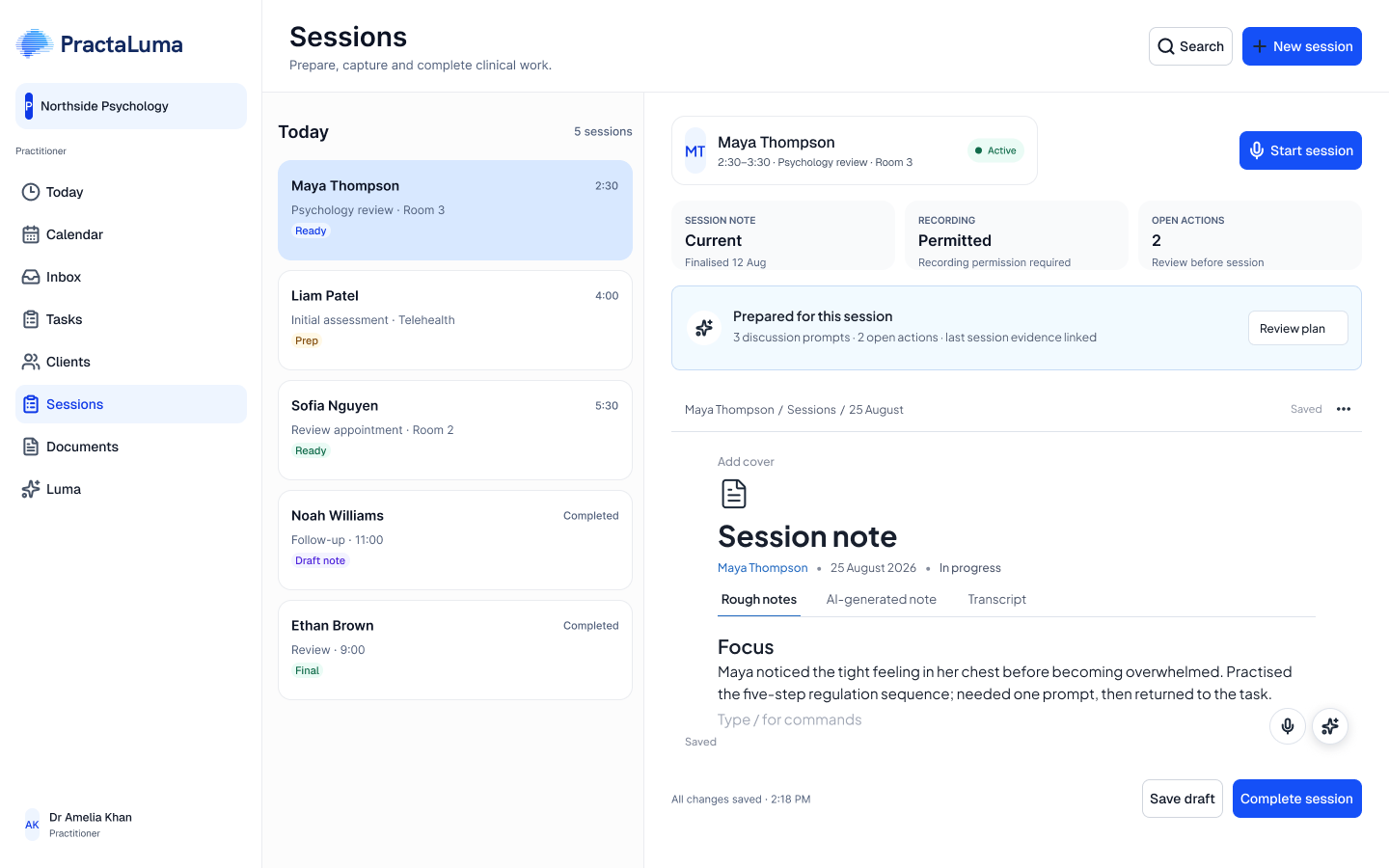
Record with appropriate consent and keep your rough notes alongside the session.
- 02
Start with a draft
Let Luma help with the writing. Move between your rough notes, AI-generated note and transcript.
- 03
Review the note
Check the draft against the transcript, correct the wording and decide what belongs in the clinical record.
A few practical questions.
Anything else? Ask us in a demo
Is the AI draft the finished clinical note?
No. Treat it as a first draft. Review it for accuracy, omissions and appropriate clinical wording before relying on or sharing it.
Do I have to use AI for every session?
No. You can keep writing your own notes. Luma's AI drafting is an additional way to start, not a replacement for manual documentation.
Is this a separate app from my EHR?
No. AI Scribe is part of PractaLuma. Your session workspace brings rough notes, the AI-generated note and the transcript together.